What Rewindly does
Rewindly is a catalog change watchdog for your Shopify store. Every time a product is created, updated, or deleted, Rewindly saves a full snapshot of that product - its title, description, price, variants, inventory, status, and more. Those snapshots build a complete version history for each product, so you can see exactly what changed, when, and roll back to any earlier version in one click.
It is built for the moments things go wrong: a bulk edit that overwrote the wrong field, an app that mangled your prices overnight, a product deleted by mistake, or an unexpected price change you need to explain.
Getting started
There is no setup. Once you install Rewindly from the Shopify App Store, it begins tracking automatically:
- Rewindly captures a baseline snapshot of your existing products at install, so you have something to compare against right away.
- From then on, any change a merchant, staff member, or app makes to a product is recorded as a new version.
- Rewindly only requests the read_products and write_products permissions. It never accesses customer, order, or payment data.
On a brand-new store with no changes yet, the dashboard shows an empty state. It fills in the moment your first product change happens.
Your dashboard
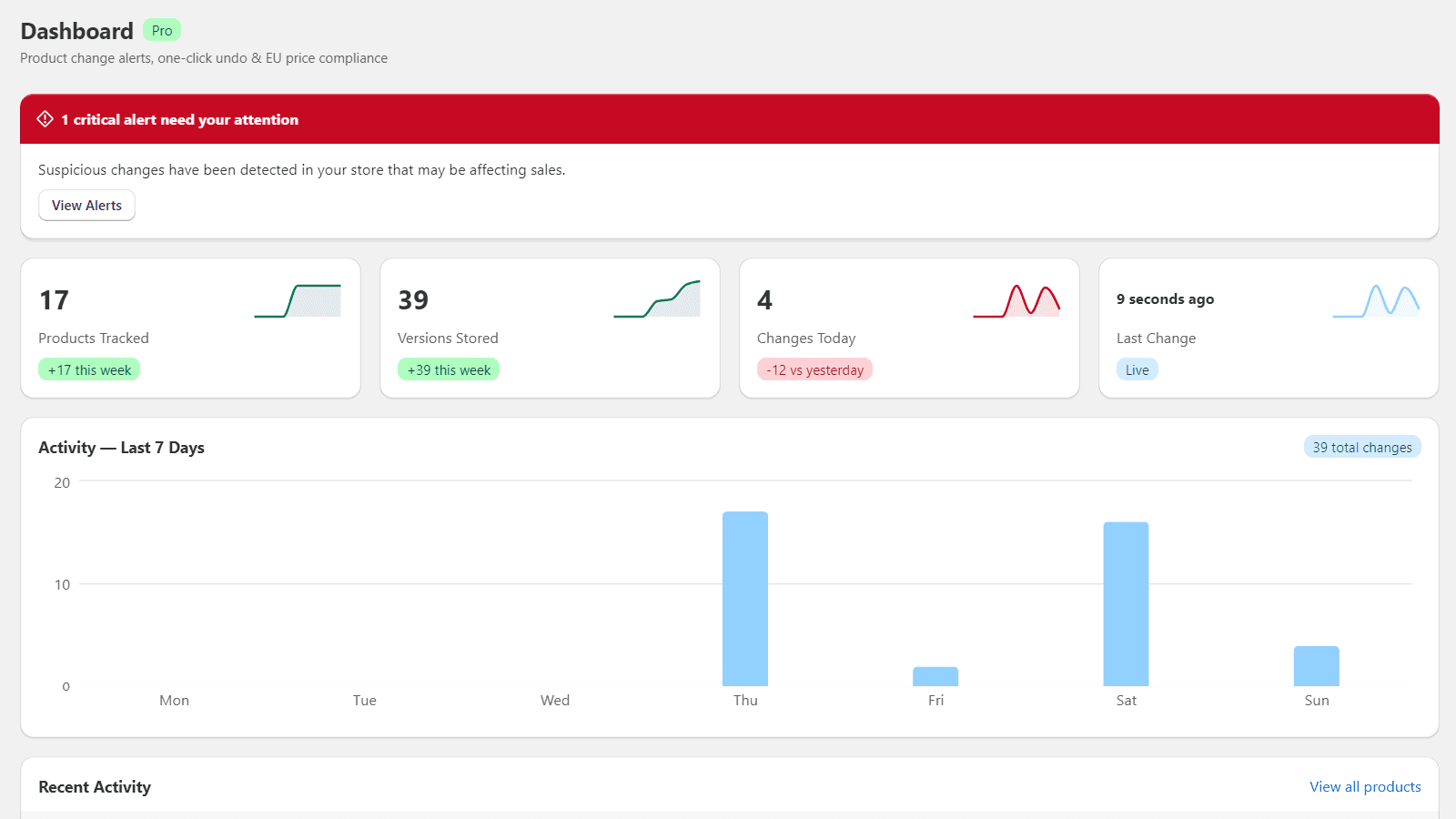
The dashboard is your at-a-glance overview, opened from the Dashboard link in the app sidebar. It shows:
- Stat cards - products tracked, versions stored, changes today, and when the last change happened, each with a short trend.
- Activity chart - a 7-day bar chart of how many changes happened each day, so spikes are easy to spot.
- Recent activity - the latest changes across all products. Click any row to jump straight to that product's history.
Product history
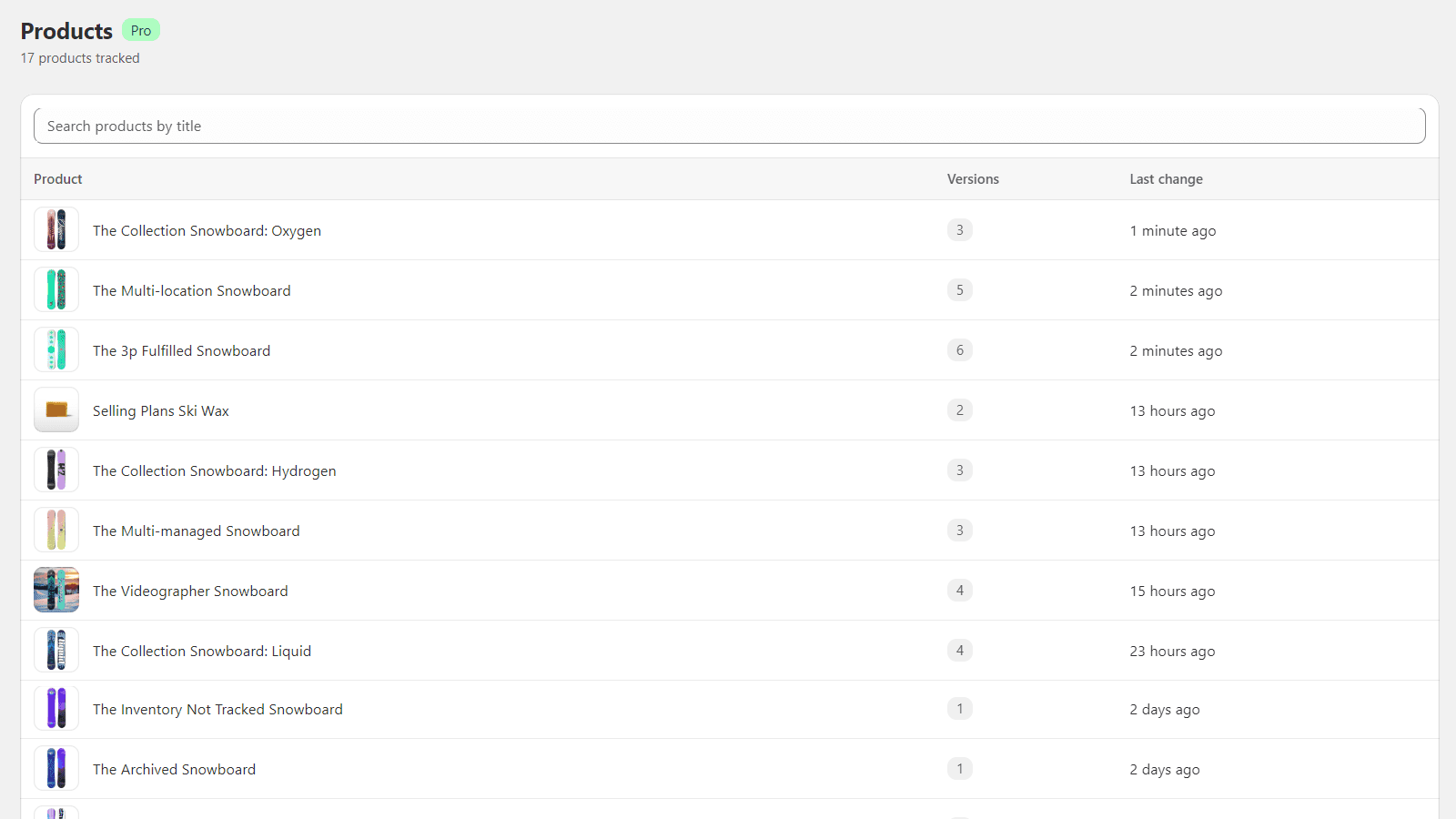
The Products page lists every product Rewindly is tracking, with its version count and when it last changed. Open a product to see its timeline - every saved version in order, newest first, each stamped with the time it was captured.
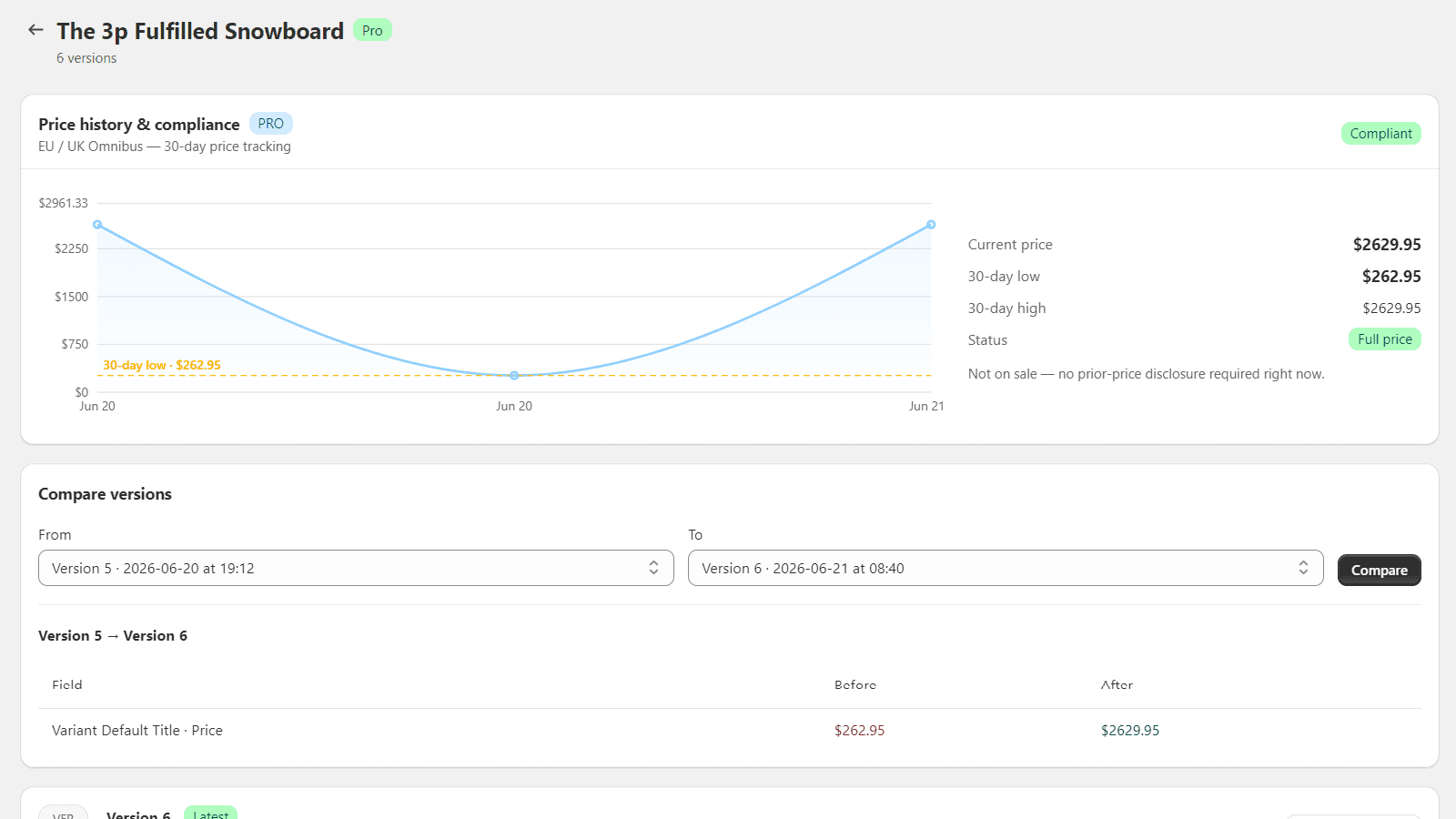
Click any version in the timeline to open the snapshot viewer, which shows the full state of the product as it was at that moment.
Comparing versions
From a product's timeline you can compare any two versions to see exactly what changed.Pro
Rewindly highlights the differences field by field - title, price, status, tags, description, variants, and SEO fields - so you do not have to hunt for what moved. This is the fastest way to answer "what actually changed here?" after an unexpected edit.
Restore & undo
Found a version you want back? Open it in the snapshot viewer and click Restore.Pro
- Rewindly writes that earlier snapshot back to your live product through the Shopify Admin API.
- The restore itself is recorded as a new version, tagged as a restore, so nothing is ever lost - you can always undo the undo.
- Restore brings back the product's saved fields. It is the quickest way to recover from a bad bulk edit or an app that overwrote your data.
- When a whole batch of products went wrong at once - a bad CSV import or a feed app overwriting the catalog - use point-in-time bulk rollback from the Products page to restore every product to how it looked at a chosen moment, in a single run.Pro
Price compliance (EU / UK Omnibus)
If you sell into the EU or UK, the Omnibus Directiverequires that when you advertise a price reduction you also show the lowest price from the previous 30 days. Because Rewindly already records every price change, it can show this for you.Pro
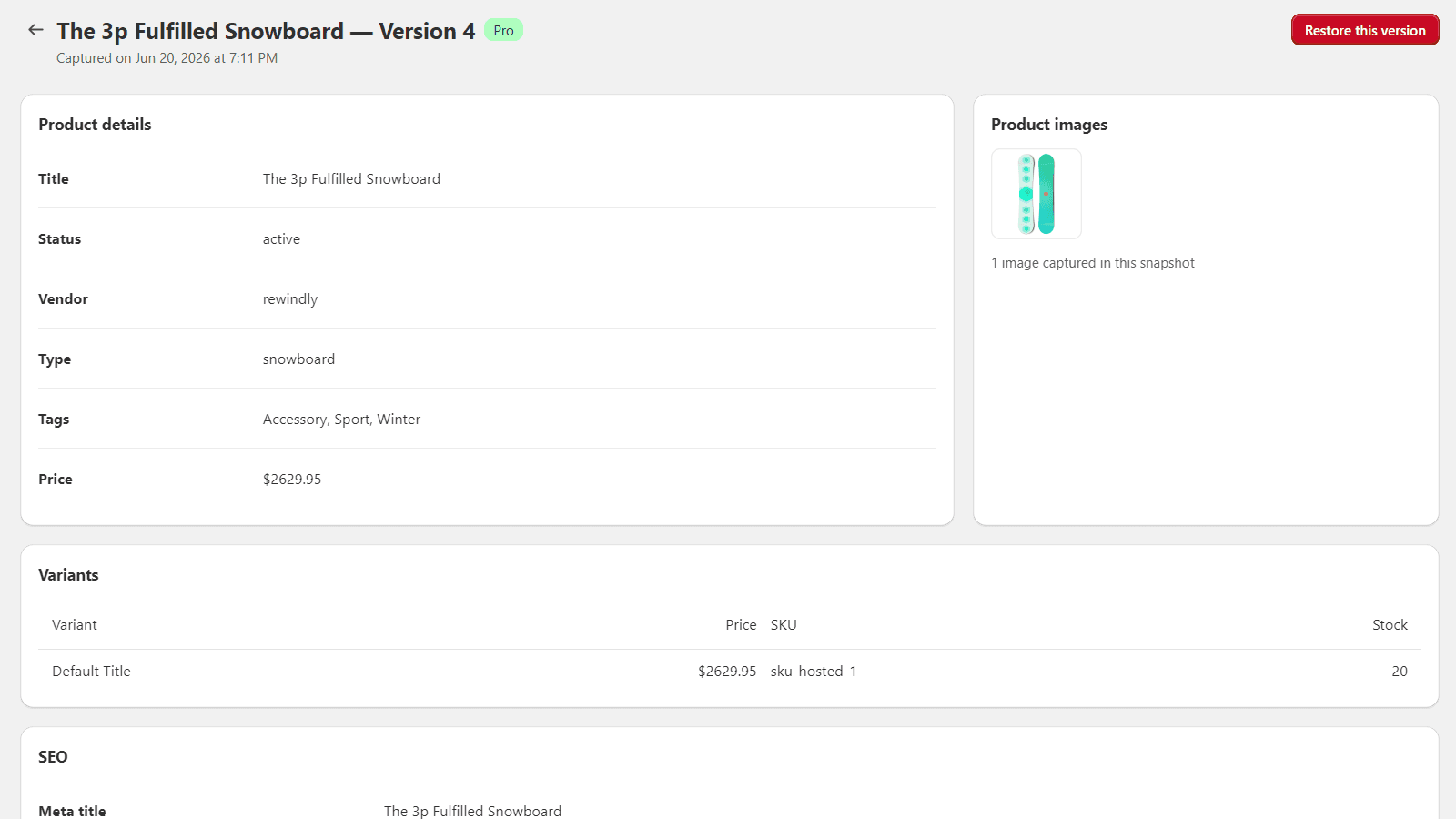
- For each product, Rewindly surfaces the 30-day lowest price from its own history - no spreadsheets, no manual tracking.
- Use it to confirm your sale prices are advertised correctly and to keep a defensible record if you are ever asked to justify a "was" price.
You can see this inside the app on the price-history & compliance card at the top of each product page - shown in the screenshot under Comparing versions above. Rewindly also ships an Omnibus price notice theme app block you can add to your product pages, so the lowest 30-day price is displayed to shoppers right on the storefront - which is what the Directive actually requires.
Alerts & notifications
Rewindly can tell you when something noteworthy happens to your catalog instead of you having to check. In Settings you can:
- Choose which kinds of changes are worth an alert.
- Send alerts to an email address or to a Slack channel.Pro
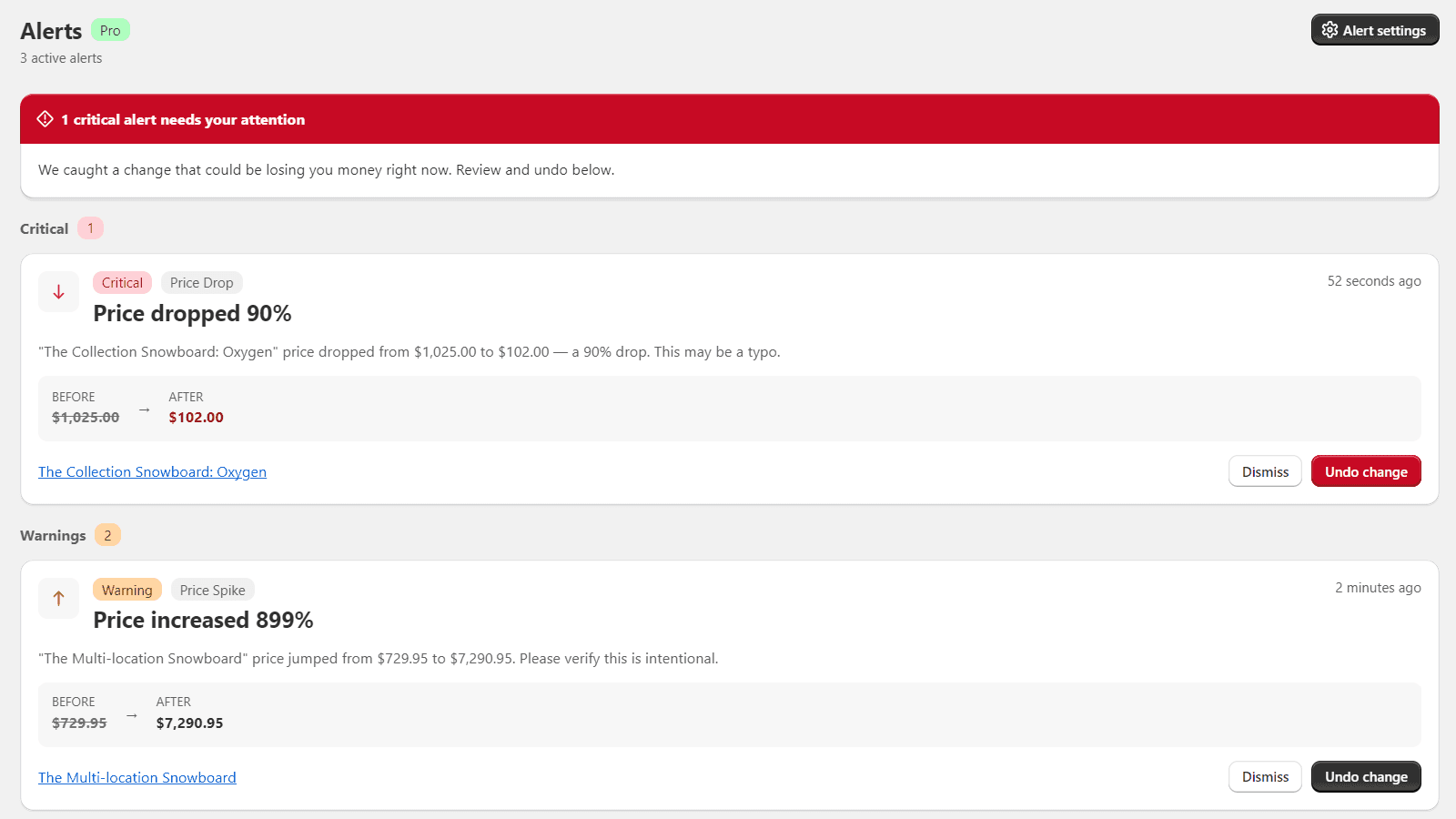
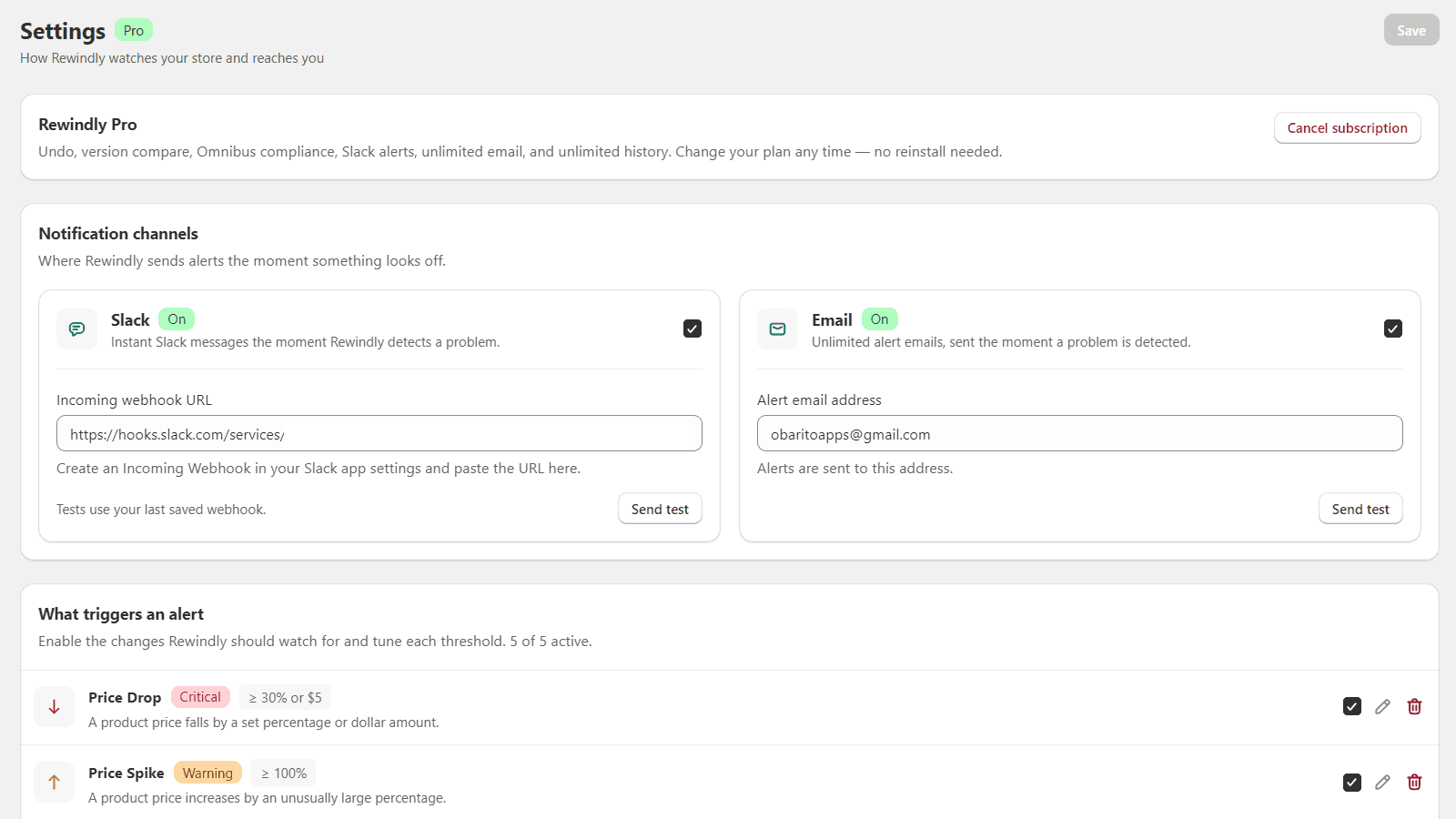
This turns Rewindly from a record you look up after the fact into an early warning when a price, status, or product changes unexpectedly.
Plans & billing
Rewindly has three plans:
- Free - up to 100 products, the last 30 days of history, in-app alerts, 30 email alerts a month, and 5 one-click restores a month.
- Starter - $7.99/month - up to 1,000 products, 90 days of history, unlimited restores, unlimited email alerts, and field-by-field version compare.
- Pro - $19/month - unlimited products and history, point-in-time bulk rollback, Slack alerts, and the EU/UK Omnibus 30-day price notice for your storefront.
Paid plans include a 14-day free trial, and annual billing saves you about two months. You can change plans or cancel any time from within the app - no reinstall needed. Billing is handled securely by Shopify and appears on your normal Shopify invoice. If you cancel, you keep access until the end of the current billing period, and your snapshots are always kept when you switch plans.
FAQ & troubleshooting
I just installed - why is my dashboard empty? Rewindly captures a baseline at install, then records changes as they happen. Edit a product and the dashboard will populate within moments.
Does Rewindly track changes from before I installed it? No - history starts at install. Snapshots are captured going forward as products change.
Will it slow down my store? No. Rewindly works in the background through Shopify webhooks and never touches your storefront.
What happens to my data if I uninstall? Your access is revoked immediately, and Shopify then asks us to erase the store's data, which we do in full. See the Privacy Policy for details.